
Several weeks ago it came to our attention that Delicious’s acquisition could result in suspended support for using Yahoo! accounts to access their services. To ensure uninterrupted access to your Delicious bookmarks in Zukmo we have altered the way we exchange data with Delicious.
We request that if you currently use your Yahoo! username and password to sync your Delicious bookmarks with your Zukmo library, that you instead use your Delicious-provided username and password. This can be done via the following:
- Log in to your Zukmo account.
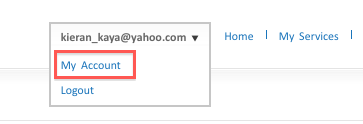
- Hover your mouse over your username displayed at the top of the screen. In the drop-down menu that appears, click on the “My Account” link.
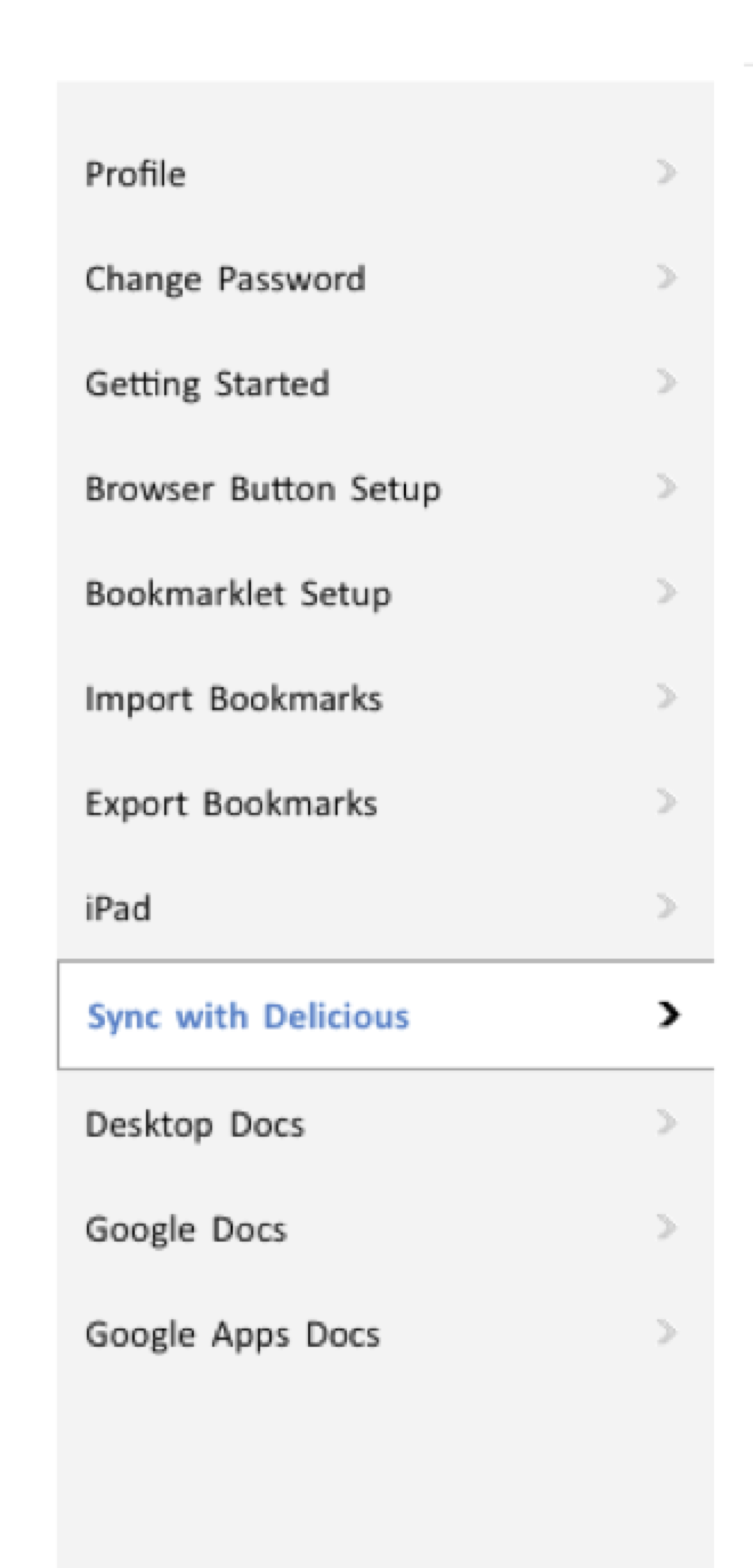
- On the page that appears, click on the “Sync with Delicious” tab on the left-most vertical menu
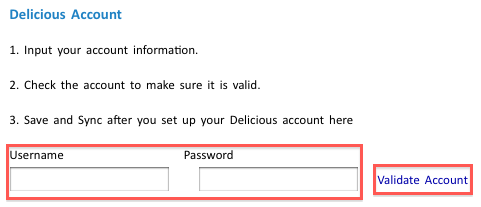
- At the bottom of the screen, enter your Delicious username and password and click on the “Validate Account” link.
Completing the above steps will ensure that access to your Delicious bookmarks in Zukmo will be uninterrupted should support for Yahoo! accounts be discontinued. If you experience any issues syncing your Delicious account with Zukmo please contact us at help@zukmo.com.

